illumin Canvas: Rebuilding the core workflow of a demand-side-platform
Summary
illumin is a demand-side platform that marketers use to plan, run, and measure advertising campaigns.
Canvas is illumin’s core product; the workspace where marketers build and monitor sequential campaigns. Over time, it had grown unwieldy: performance data was siloed, setup workflows were fragmented, and a legacy interface created a steep learning curve for non-power users.
I led the redesign of Canvas, aiming to speed up campaign setup and publishing, and to surface data when and where it’s needed.
Impact
34.5 → 23 days to first published campaign for new accounts
3x faster campaign setup for existing clients
51% increase in campaign publish
Challenge
Building was slow and full of friction. Data was hidden.
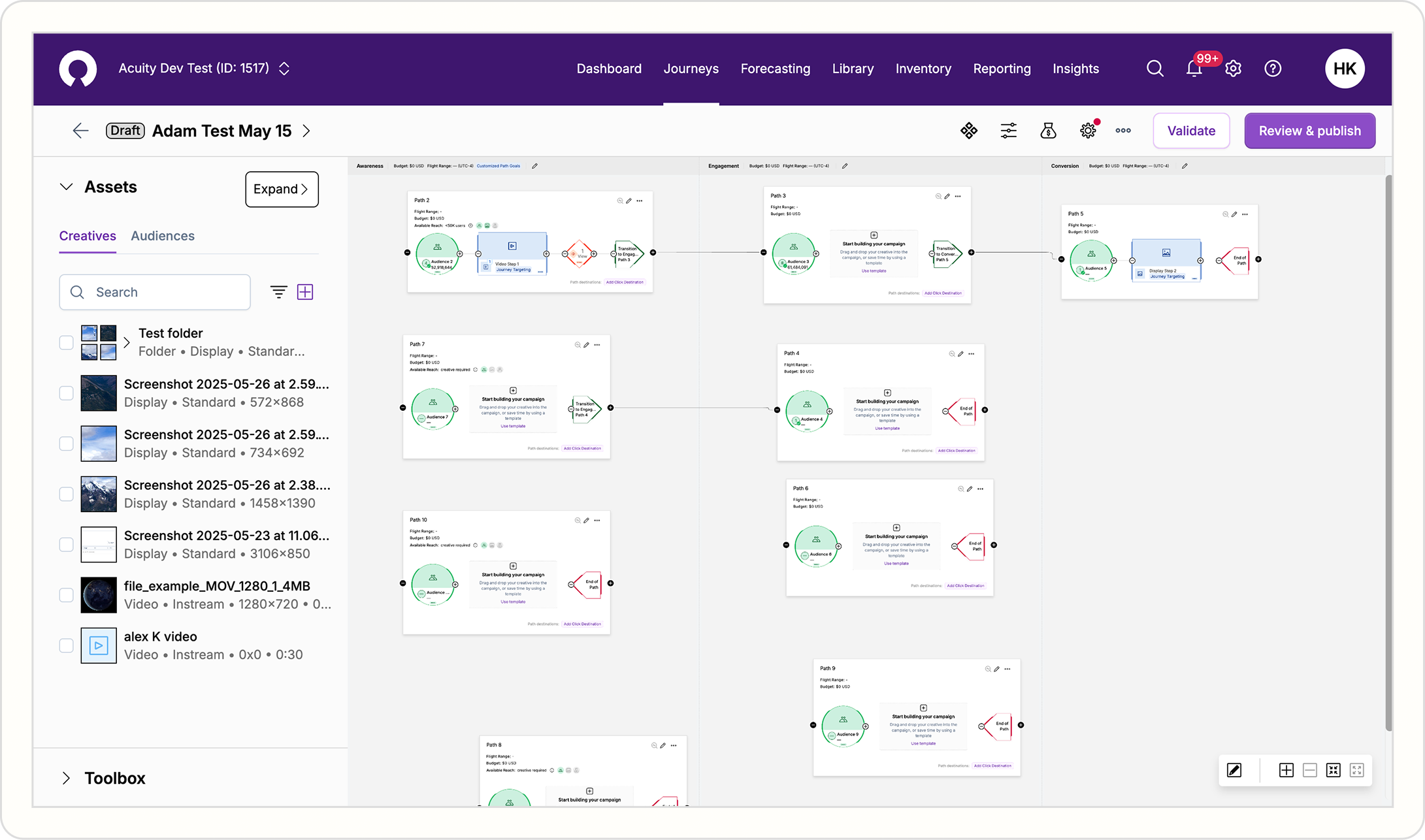
Before the rework, the average new account took 34.5 days(!) to publish its first campaign on Canvas. This was the result of several factors that had compounded over the years:
- Fragmented setup workflow
- Low visibility into decision-supporting data
- Opaque audience movement between campaigns
- Restricted open-canvas capability
- Inconsistent design language
Research
Who are we designing for?
Working with our UX researcher, we identified two core Canvas users:
- Marketing operators: hands-on-keyboard users focused on setting up and running campaigns
- Marketing analysts: data- and analytics-focused users who monitor performance
We also researched what Canvas should look like once campaigns have been set up and launched. This surfaced three core questions that Canvas needed to answer for users at a glance:
Are my campaigns healthy? What’s the trend? Where does the output go next?
Solution
Faster setup with consolidated workflows
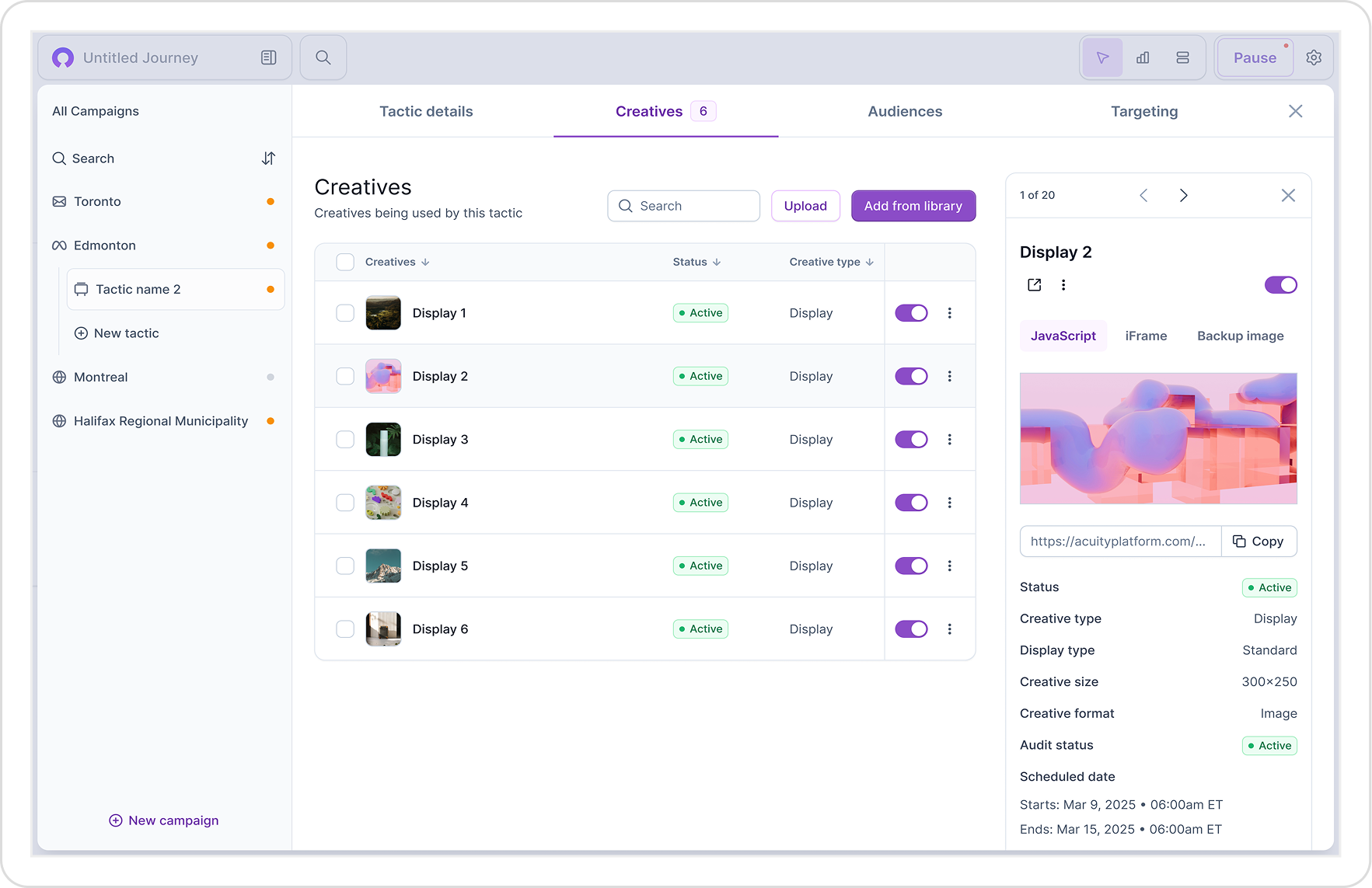
The restructured campaign-management modal splits macro and micro workflows into separate pages and tabs, so first-time users aren’t overwhelmed. This cut visual clutter on Canvas by 50%.
I designed the majority of these workflows (including tactics, creatives, and audience management), building modular components that can be used universally between all the different facets of setup.
Smoother building with node-based editing
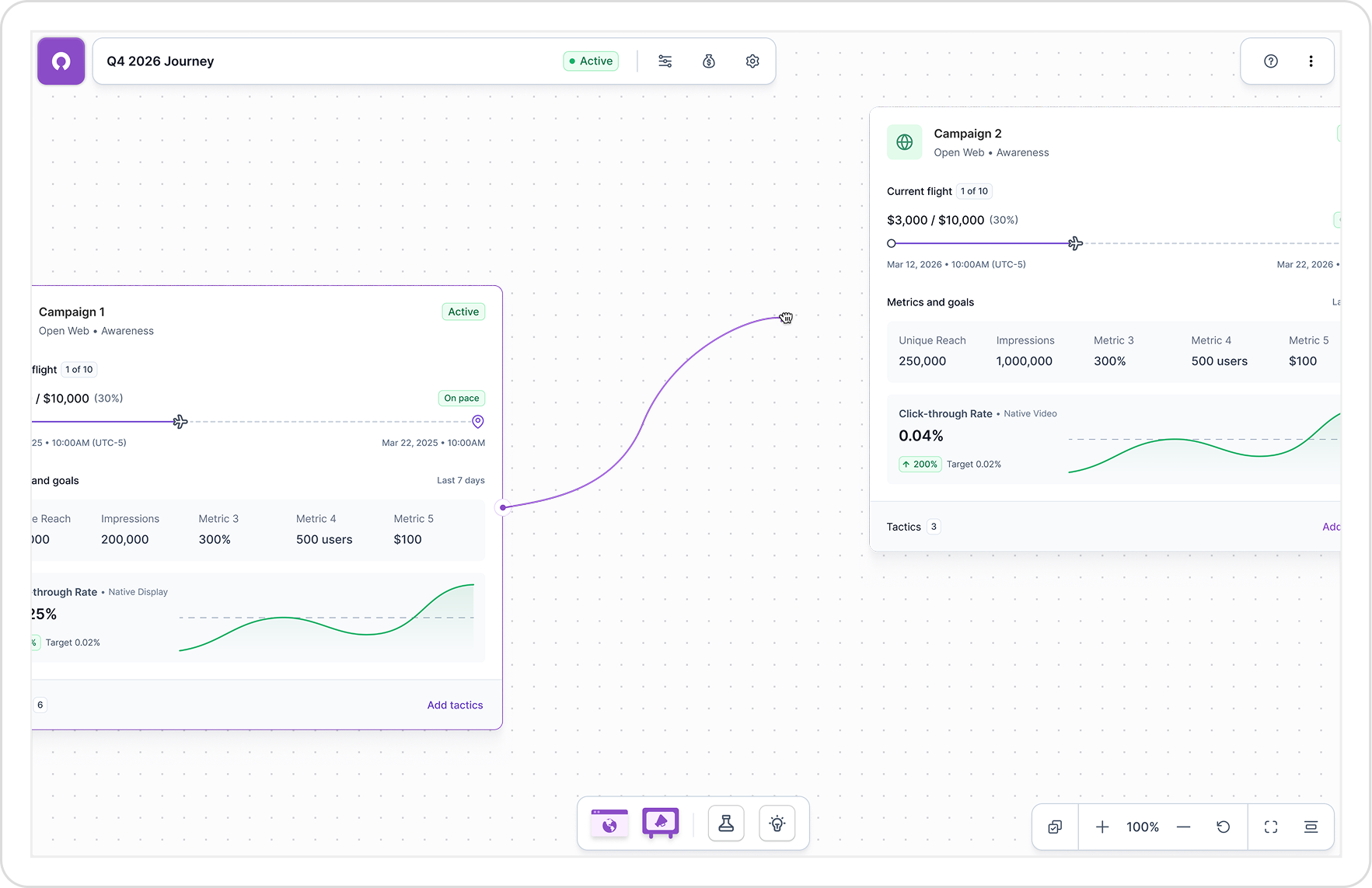
Integrating React Flow made the building process smoother: each element on Canvas is defined as an independent node, so users can rearrange them and easily create connections between them.
Surfacing data when and where it’s needed
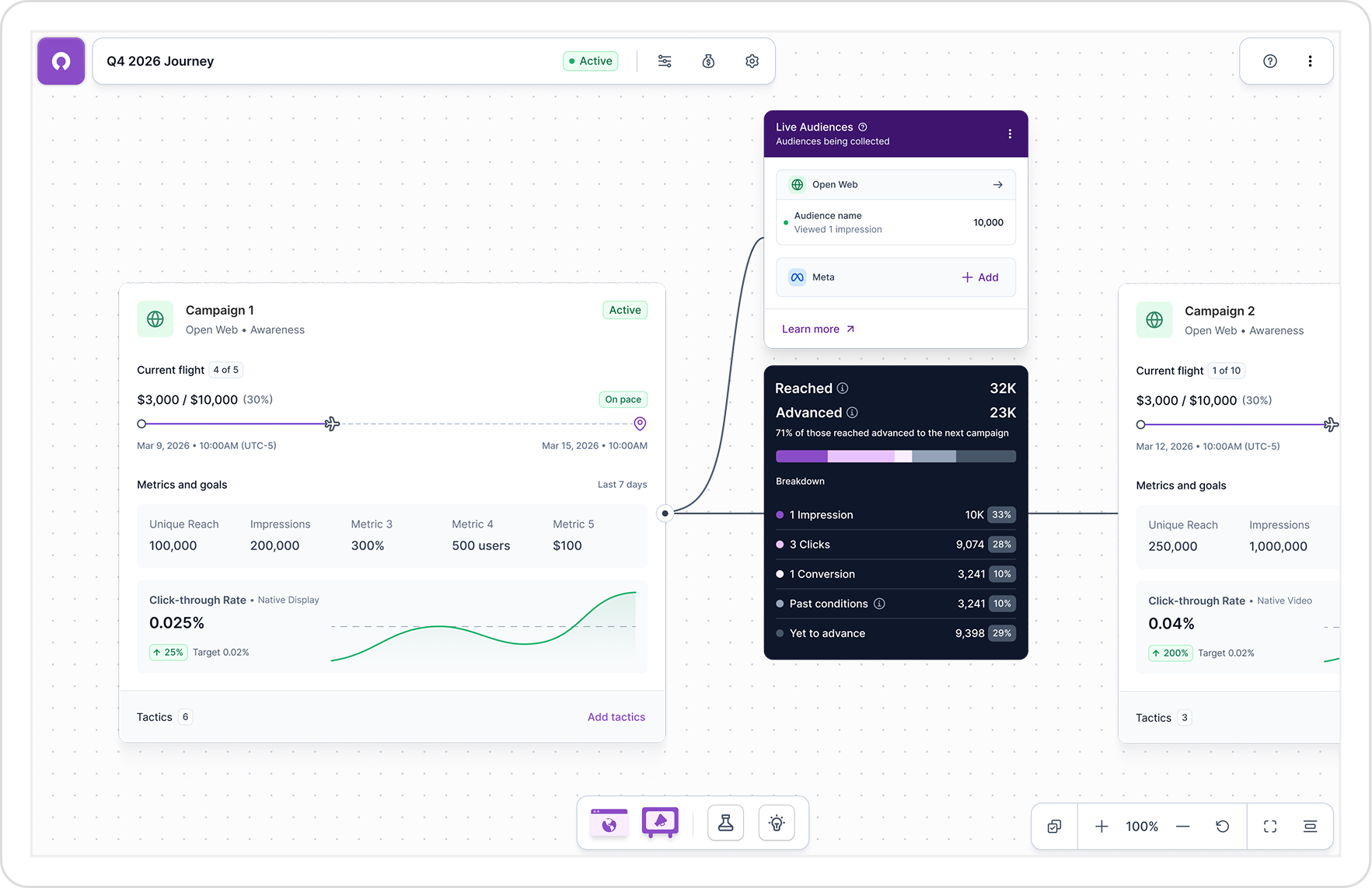
Once campaigns are connected, you’re looking at relationships; statuses and numbers across campaigns, laid out in a sequential diagram.
The redesign prioritizes live performance metrics so that, once campaigns are set up and running, the three core questions can be answered at a glance: Are my campaigns healthy? What’s the trend? Where does the output go next?
Impact
34.5 → 23 days to first published campaign for new accounts
3x faster campaign setup for existing clients
51% increase in campaign publish
“…the platform allows for a clearer flow between campaign, ad group, audience, and creative. This structure makes it easier to develop connected strategies while maintaining a personalized and more engaging message logic.”
G2 Review